LAUNCH20.
Copying reviews into spreadsheets by hand wastes hours, while Amazon's stricter login wall broke most server-side scrapers. Follow this 4-step workflow to download clean Excel-ready Amazon review CSVs in under 60 seconds — 100% free forever.
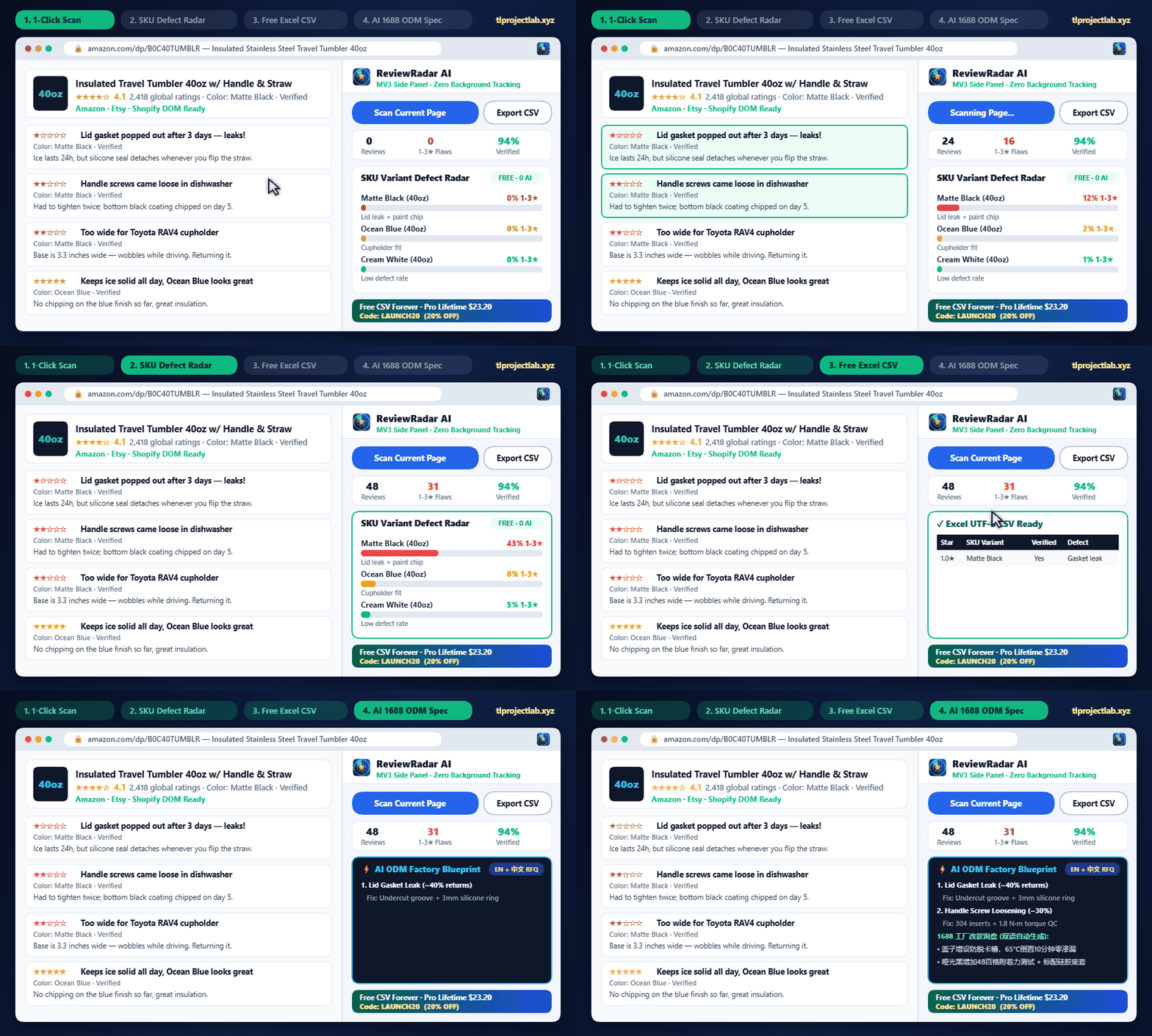
Install ReviewRadar AI from the Chrome Web Store. It uses Chrome Manifest V3 activeTab permissions — meaning it never runs hidden background scripts or tracks your browsing history.
Navigate to any Amazon product page or click See more reviews on Amazon.com, .co.uk, .de, .ca, or .co.jp. Because ReviewRadar AI runs inside your active signed-in tab, Amazon's login wall won't block review pagination.
Click the ReviewRadar AI icon to open the native Chrome Side Panel. Choose Scan Current Page for instant capture, or Auto 4 Pages to paginate and automatically deduplicate reviews across multiple pages. You can even filter to 1–3★ critical reviews before exporting.
Click Export CSV to immediately download a UTF-8 BOM spreadsheet containing Star Rating, Verified Purchase status, Child SKU Variant (Color/Size), Helpful Votes, Review Date, Title, and Full Text. Open it directly in Microsoft Excel or Google Sheets with zero garbled symbols.
| Column | What You Can Pivot in Excel |
|---|---|
| Variant / Child SKU | Pivot average star rating by color/size to spot defective factory batches or coatings. |
| Verified Purchase | Filter Verified = Yes so fake or incentivized reviews never skew product engineering decisions. |
| Helpful Votes | Sort descending by Helpful Votes to surface the single most expensive return trigger first. |
| Review Date | Compare reviews from the last 90 days vs older reviews to verify if a competitor already fixed a flaw. |
 ReviewRadar AI